
You can add or remove the units of measure of your choice directly in editing mode for a quote or invoice by clicking “Manage” at the bottom of the units list. You can also access this setting directly from the main menu “Settings > Units”.
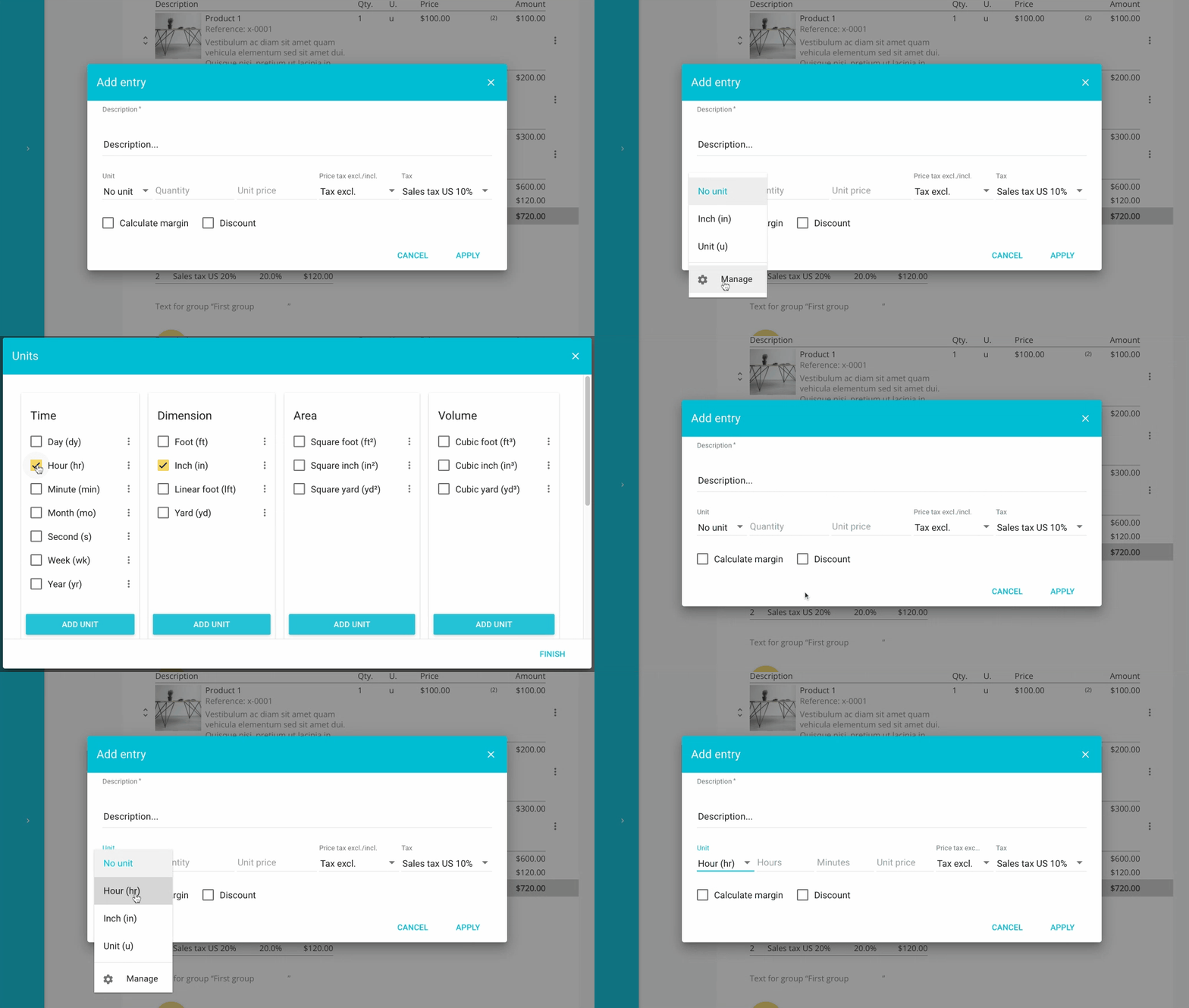
You can add or remove the units of measure of your choice directly in editing mode for a quote or invoice by clicking “Manage” at the bottom of the units list. You can also access this setting directly from the main menu “Settings > Units”.